Data Integration

Connect the Shop Floor to Your Digital Workflow.

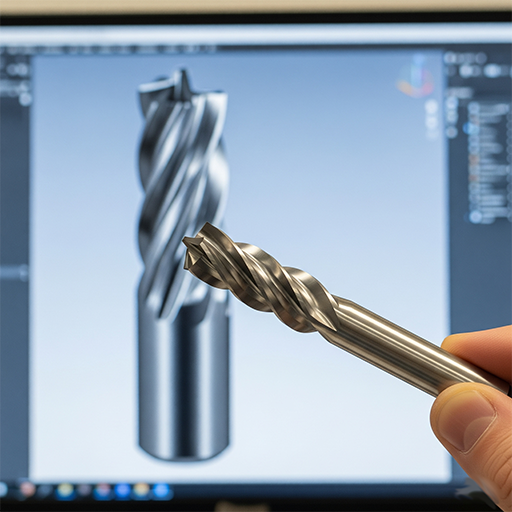
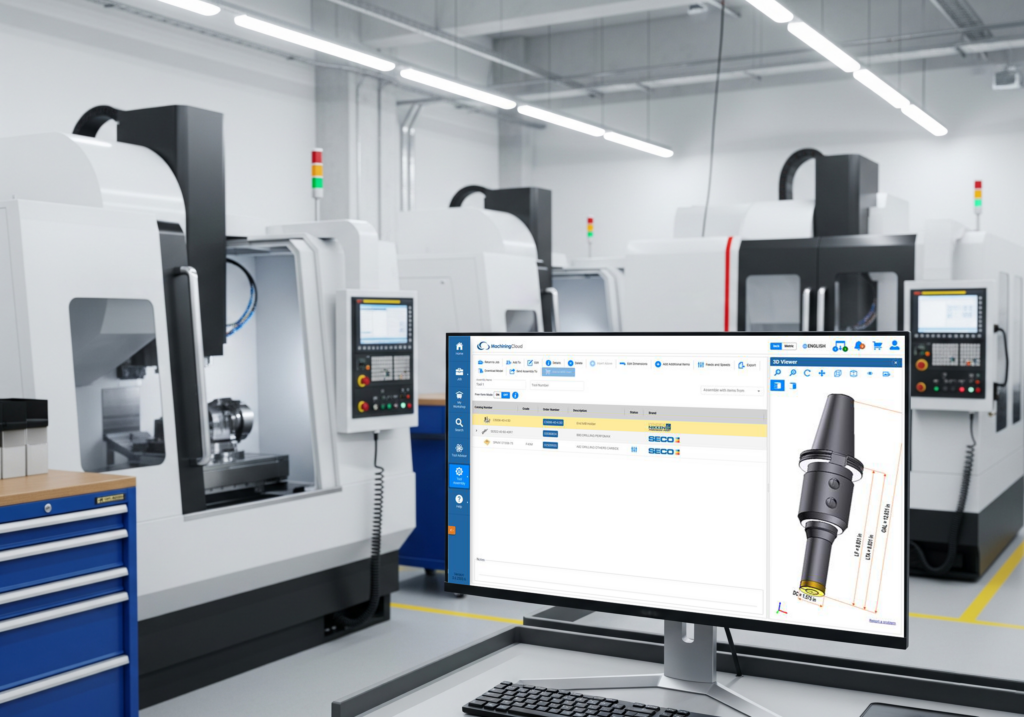
MachiningCloud pushes clean, verified tool data directly into your CAM system, your TMS, and the machine — one source of truth for every job.

Plan it once. It shows up everywhere it needs to.

Connected Systems

One Source of Truth

Vendor-Neutral

One source of tool data, from planning to the spindle

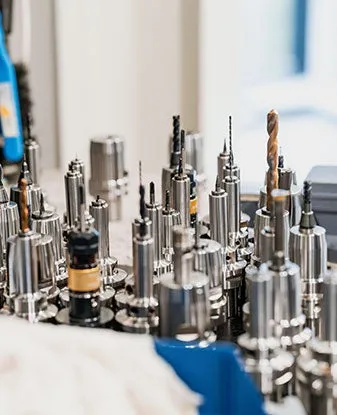
Most CNC shops keep tool information in several places at once: a CAM library, a spreadsheet of inserts and holders, the TMS, setup sheets on the floor and the purchasing system. Each copy drifts out of date a little differently. The result is wrong tool lengths in simulation, a setup sheet calling for a holder that isn’t in the crib, and buyers re-keying part numbers into purchase orders.

MachiningCloud links these steps through one platform. You find and build tools from data supplied directly by the manufacturers. You organize those tools around the jobs you’re planning. Then you send the same verified data into your CAM system, tool management software, simulation and procurement. Every system works from the same assemblies, so you enter the data once and use it everywhere.

How data moves through your workflow

01

Start with verified tool data

Tool data comes from direct partnerships with cutting tool manufacturers, not third-party aggregation. It's structured to ISO 13399, so geometry, cutting data and 3D models are consistent from one brand to the next.

02

Build assemblies and organize them by job

Combine cutters, holders and adapters into complete assemblies, then group them into the libraries and jobs your shop actually runs.
Example: a programmer quoting a new titanium bracket picks an end mill and a shrink-fit holder, checks the assembled stick-out, and saves both to the job before any programming starts.

03

Export straight into CAM

Send assemblies, with geometry and cutting parameters, directly into ESPRIT EDGE, Mastercam, Autodesk Fusion, hyperMILL, GibbsCAM, TopSolid, SolidCAM, BobCAD-CAM, SOLIDWORKS CAM and others.
Example: the bracket programmer imports the job's tools into Mastercam and programs right away, with accurate holder geometry for collision checking.

04

Validate in simulation

The same data feeds simulation tools such as CGTech VERICUT and NCSIMUL, so toolpaths are checked against the tools that will actually be in the machine, not approximations.

05

Sync with your TMS and the shop floor

Send verified data into TDM Systems, WinTool and ZOLLER. Setup sheets and tool lists go to the floor from the same source.
Example: the operator's setup sheet matches what the presetter measured and what the program expects, because all three come from one record.

06

Close the loop with procurement

Through MachiningCloud's partnership with MSC Industrial Supply, move from tool selection to a purchase order using your existing MSC account and negotiated pricing. Buyers order the exact items the programmer chose.

Works with the software your shop already runs

CAM

TMS

Simulation

ERP

Automation

What connected data gives you

Tool assemblies & job data exported directly into your CAM system

Setup sheets & tool lists sent to the shop floor in one click

Verified data flowing straight into your enterprise TMS

One shared source of truth across every team

Tool selection to purchase order without leaving the platform

Your existing MSC account and negotiated pricing, carried through

Export Straight Into Your CAM System

Tool assemblies and job data move from MachiningCloud into ESPRIT Edge, Mastercam, hyperMILL, GibbsCAM or Siemens NX — no re-typing, no drift between what was planned and what’s programmed.

  • Export tool assemblies and job data together

  • Works across the major CAM systems

  • Send setup sheets and tool lists to the floor in one click
Connect to Your Enterprise TMS

MachiningCloud doesn’t replace the TMS platform running your tool crib — it keeps it accurate. Verified tool data flows through to TDM Systems, WinTool or ZOLLER, so every team works from the same record.

  • Connects to TDM Systems, WinTool and ZOLLER

  • Verified data flows through, not around, your TMS

  • One shared source of truth, end to end

Close the loop on Procurement

Through an exclusive partnership with MSC Industrial, MachiningCloud takes a tool from selection to purchase order without leaving the platform — using your existing account and negotiated discounts.

  • Exclusive MSC Industrial partnership

  • Build carts and complete order on MSC website

  • Uses your existing account and negotiated pricing

MSC

Choosing a platform

Is MachiningCloud the right fit for your shop?

Shops comparing tool-data and CAM integration options usually weigh manufacturer-specific catalogs, the libraries built into their CAM software, enterprise tool management systems, or building and maintaining data themselves.


MachiningCloud doesn’t replace your CAM system or your enterprise TMS. It feeds them. If you already have a TMS, MachiningCloud supplies it with verified data. If you don’t, it gives you a structured library and job-based organization that a spreadsheet can’t.

MachiningCloud tends to fit best when:
You buy tools from several manufacturers. A single-brand catalog works for single-brand shops. MachiningCloud gives multi-supplier shops one consistent, standards-based format.
You run more than one CAM or downstream system. If data must reach several CAM packages, a TMS, simulation or ERP, one neutral source avoids keeping parallel libraries in sync.
Your data upkeep has outgrown spreadsheets. If someone spends hours each week updating tool records, or errors keep showing up at setup, centralizing that work pays off quickly.
You need traceable, consistent data. Regulated and high-mix work, such as aerospace, defense and medical, benefits from tool data that comes straight from the manufacturer.
You want planning, programming and purchasing connected. Shops that want tool selection to flow into ordering without re-keying gain the most from the full workflow.

Connected systems

Rotating head with tools at CNC lathe in workshop

CAM

The CNC machining centre with the G-code data background. The CNC milling machine cutting the mould parts.

Tool Management

Simulation

Machines & Procurement

Push Your Tool Data Everywhere It Needs to Be

One plan, exported to CAM, synced to your TMS, and ready to purchase — without re-entering it once.